 Fed4FIRE tutorials
- All tutorials
- Create a new tutorial
Fed4FIRE tutorialsLearn how to use C-Lab resources within Fed4FIRE
In jFed, drag a Wireless node icon on the canvas, right click, and select clab as a testbed, and then select a specific node from the list. You can also click the map icon at the right, to see a map of all C-Lab nodes, where you can select a node by zooming and clicking it.
Click red map icon besides Specific node: 
Then a map will open where you can select a node: 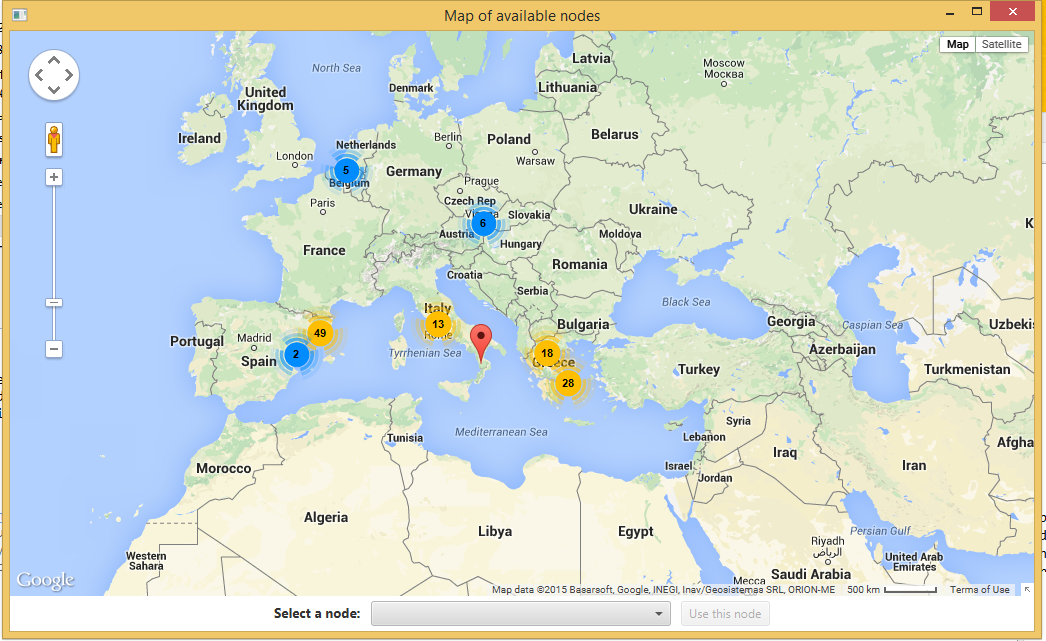
Be also aware of the following when you want to use C-Lab. C-Lab uses a closed control network only accessible through VPN, and with IPv6 addresses.
In jFed you should do three things to enable SSH login while right clicking on a node:
C:\\Program Files (x86)\\PuTTY\\plink.exe by http://tartarus.org/~simon/putty-snapshots/x86/plink.exe